 CMS Duplicator · Webflow extension
Duplicate any CMS collection, fields and items, in a few clicks.
Copy collections within a site or to another site, with references, dropdowns and images carried over. Right in the Designer. No CSV, no code.
- 16CMS field types copied
- 0Scripts added to your published site
- AES-256Encryption for stored access
The whole collection, not just its shape.
Copy one collection or several at once, with or without their items.
Fields
- Every field the Webflow API can create: text, rich text, images, files, links, numbers, dates, switches, colors, emails, phones, videos, dropdowns and references
- Help text and required settings
- Dropdown choices, matched by name so items keep their selection
Items
- Every item, read in full before anything is written
- Draft and archived status kept
- Images and files, uploaded again when you copy to another site
References
- Reference and multi-reference fields between copied collections point at the new copies, not the originals
- A collection's references to itself work too
- On the same site, references to collections you didn't copy keep pointing where they did
Several collections at once
- Pick any number of collections in one go
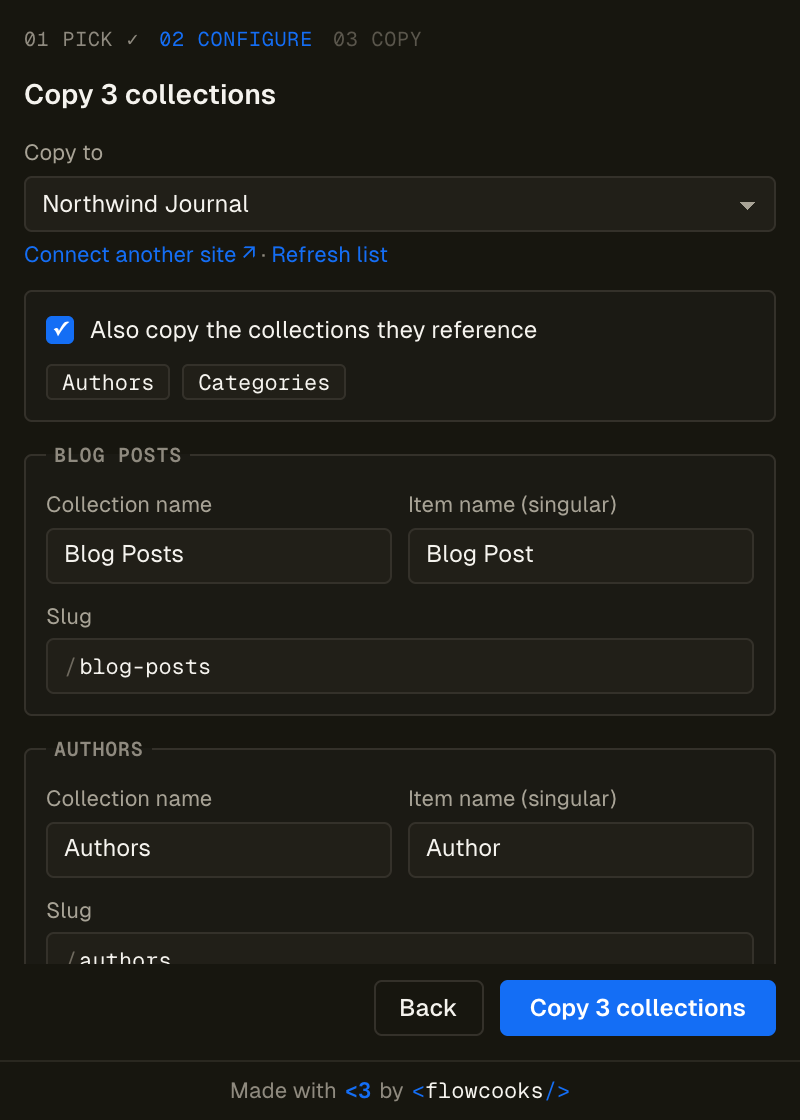
- When copying to another site, bring along the collections they reference with one checkbox
- Field settings like single line or character limits. The Webflow API can't set them on new fields, so the app lists them after copying so you can set them again.
- Translations. Only your main language is copied.
- Required reference fields between copied collections become optional, so items can be linked once they all exist.
- Code blocks inside rich text may come through empty.
- Files over 4 MB when copying to another site. They're skipped and counted in the summary.
Pick, configure, copy, without leaving Webflow.
Three steps
Choose collections, name the copies, start the copy.
Names and slugs checked as you type
The copy's name, singular name and slug are checked against the destination before anything is created.
Warnings up front
Anything that won't carry over is listed before you click Copy.
Live progress
Reading, creating, copying and linking, with an item count for each collection.
A clear summary
Every copied collection with its item count, plus any field settings to set again.
Clean up after a failure
If a copy stops partway, for example on your plan's CMS item limit, delete the partial copy with one click.
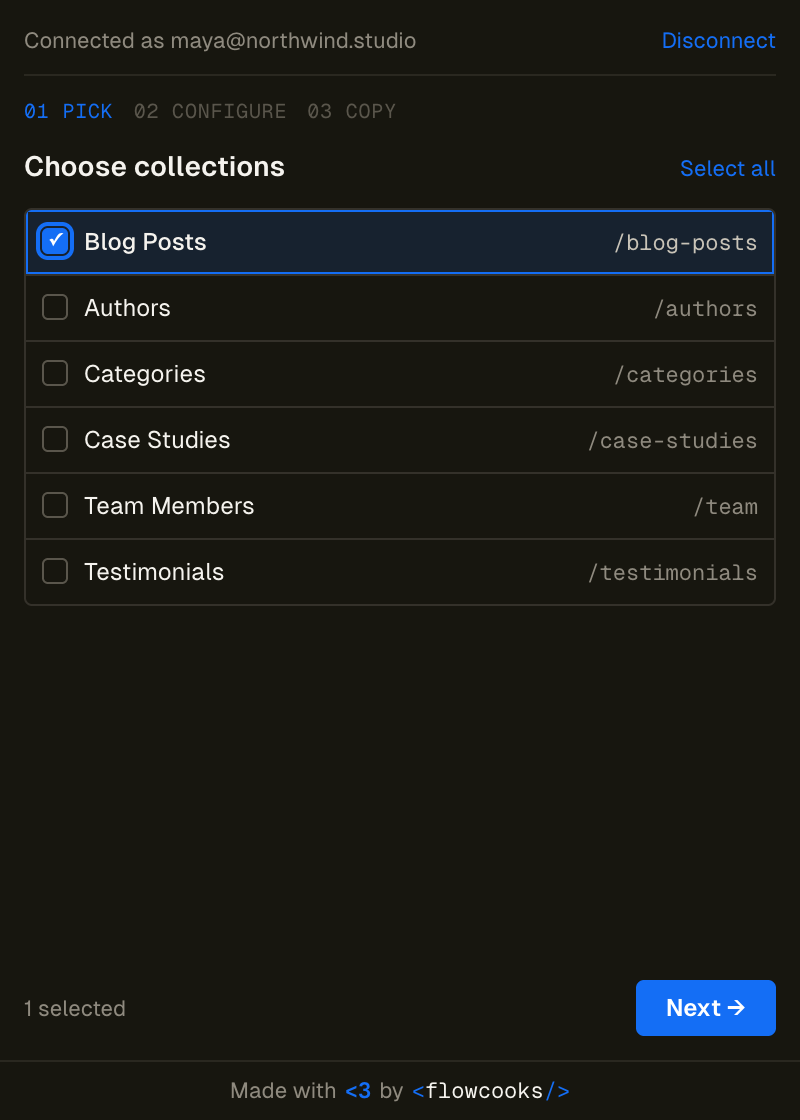
Choose collections
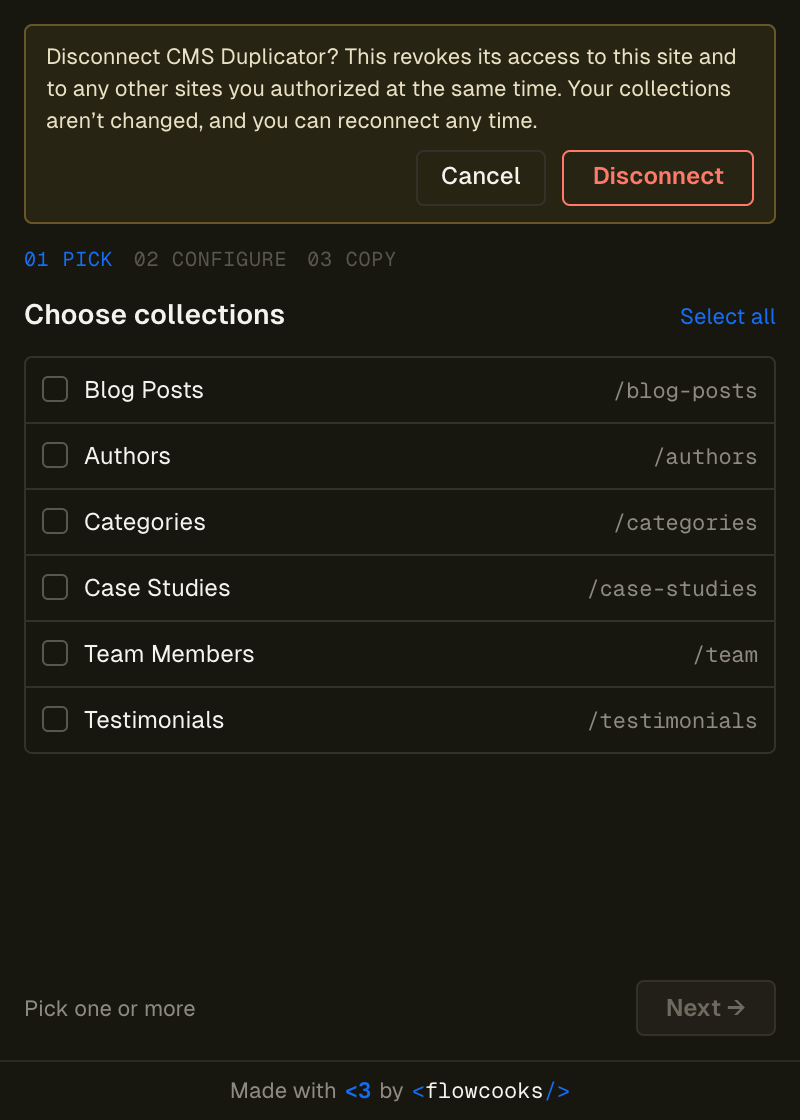
Every CMS collection on the site, with checkboxes to pick one or several.
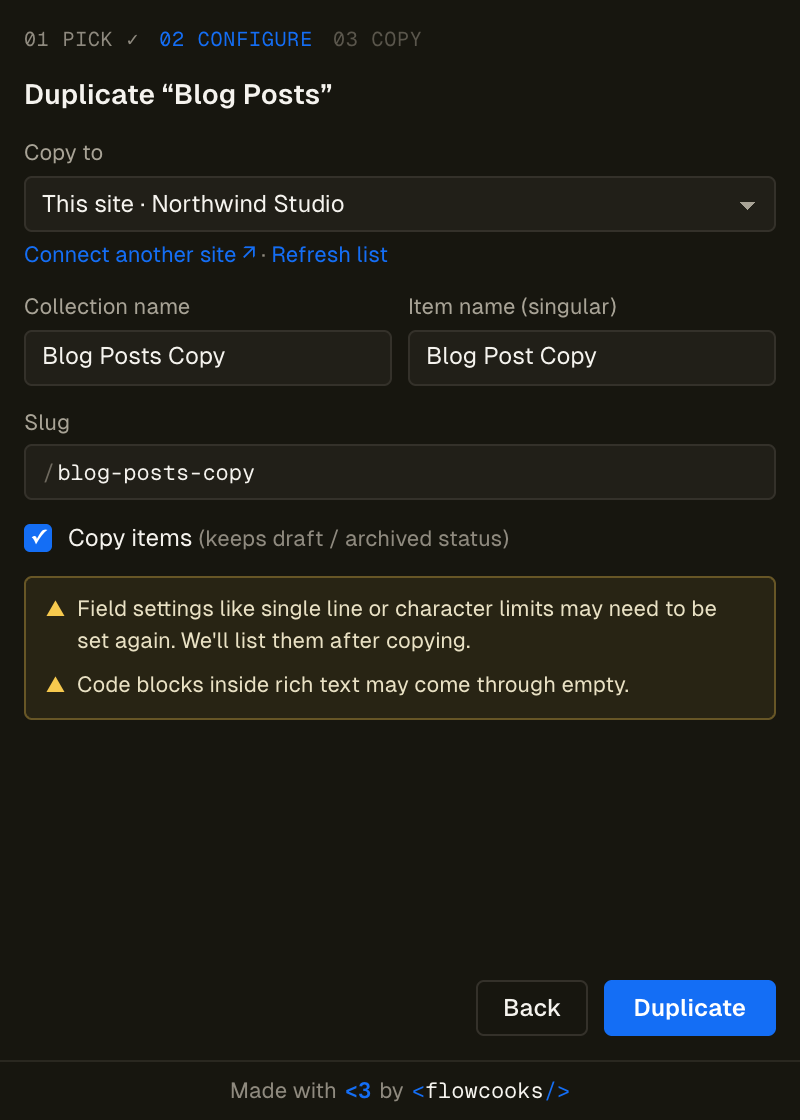
Name the copy
Name, singular name and slug, checked as you type, with warnings before you start.
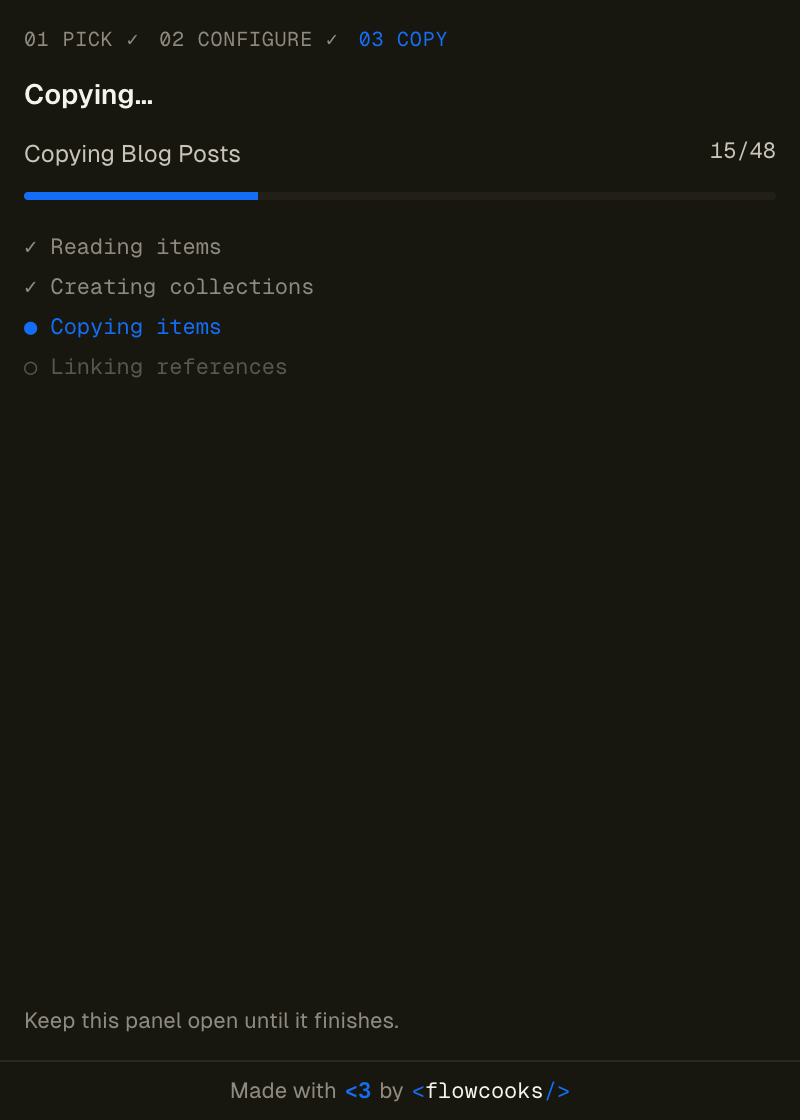
Watch it copy
Each stage, reading, creating, copying and linking, with a live item count.
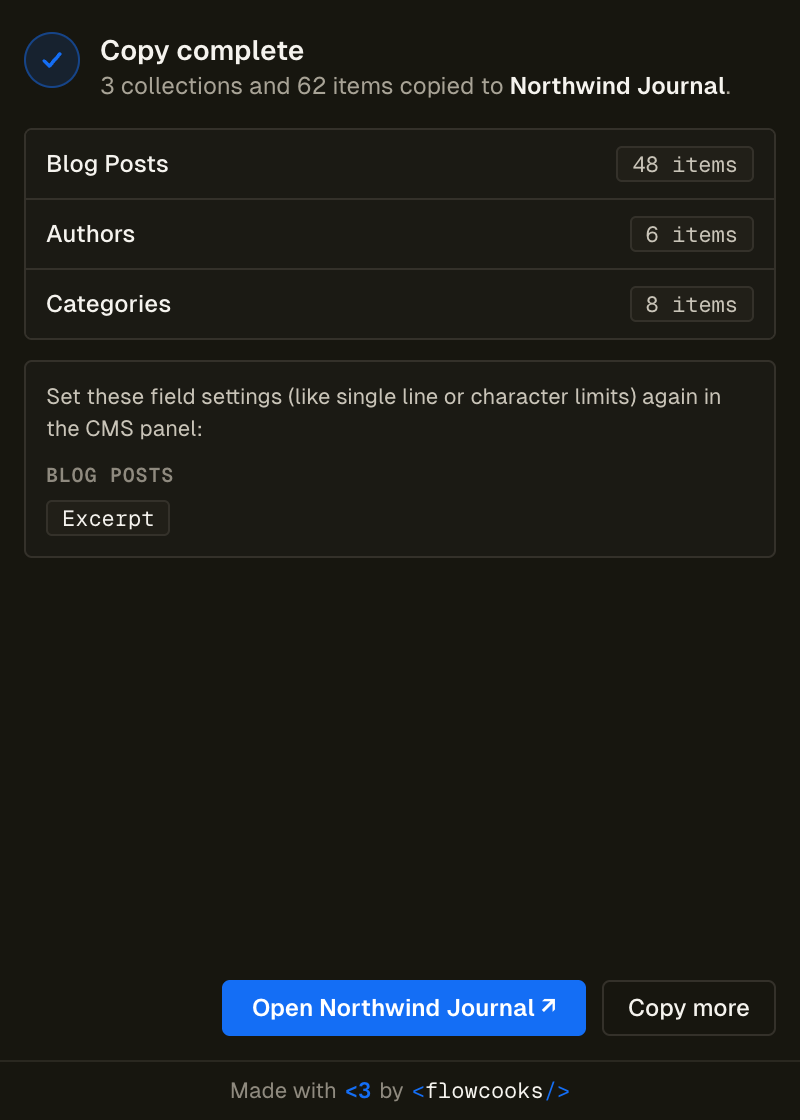
See what was copied
Every collection and item count, plus any field settings to set again.
Screenshots use a demo workspace, “Northwind Studio”.
Move collections between sites.
Between client sites, staging and production, or templates and new builds.
- Connect more sites
- Use “Connect another site” in the panel, then pick it as the destination.
- References come along
- Tick “Also copy the collections they reference” and Authors, Categories and the rest are copied too, with every reference pointing at the new copies.
- Original names kept
- Names and slugs stay the same on the other site unless they'd clash with a collection that's already there.
- Images uploaded again
- The new site gets its own copies of every image and file, so nothing depends on the original site.
- Only your own sites
- You can copy into a site only if you're the person who connected it, so a collaborator on one site can't reach your others.
Nothing added to your site.
And nothing kept that it doesn’t need.
- Nothing on your live site
- CMS Duplicator works through Webflow's official Data API. It adds no script, code or embed to your published site.
- Permissions it asks for
sites:read,cms:read,cms:writeandauthorized_user:read, which it uses to list your sites, read and create collections and items, and confirm who's using the panel.- What's stored
- For each connected site, Webflow's access token, encrypted with AES-256-GCM, plus the ID of the person who connected it. Your CMS content passes through our server only on its way to Webflow's API and is never stored.
- Your original is untouched
- The app only reads from the collection you copy. It never edits or deletes it.
- Removal
- Click Disconnect in the panel. Access is revoked with Webflow and the stored token is deleted. You can also remove the app in your site's settings. Your collections and copies stay as they are.
Questions about CMS Duplicator.
Is it free?
Yes. CMS Duplicator is free to install and use on your own sites and on client sites.
Does it change my original collection?
No. CMS Duplicator only reads from the collection you copy. The only thing it ever deletes is a partial copy, and only when you click “Delete partial copy” after a failed copy.
Are copied items published?
Items keep their draft and archived status. Like any new CMS content, they go live the next time you publish the site.
Does it count towards my plan's CMS limits?
Yes. Copies are real collections and items, so they count towards your site plan's limits. If a copy hits a limit partway, the app stops and offers to delete what it created.
Can I copy to a site in another workspace?
Yes, if you connect that site too. You can copy into any site you've connected yourself.
What happens if I uninstall it?
Click Disconnect in the panel first to revoke access and delete the stored token. If you've already removed the app from Webflow, its access is revoked there. Your collections and copies aren't affected either way.
Try CMS Duplicator on your next build.
Need something it doesn’t do? We build custom Webflow plugins and integrations too.