 Conditional Render · Free Webflow extension
Show or hide any element based on who’s visiting, when, and how they arrived.
Dates, campaigns, traffic sources, logins, devices and behaviour, set right in the Designer. No code. Free.
- ~8 KBScript size, gzipped
- 0Network requests on your live site
- 12Templates
Everything about the visitor, in one panel.
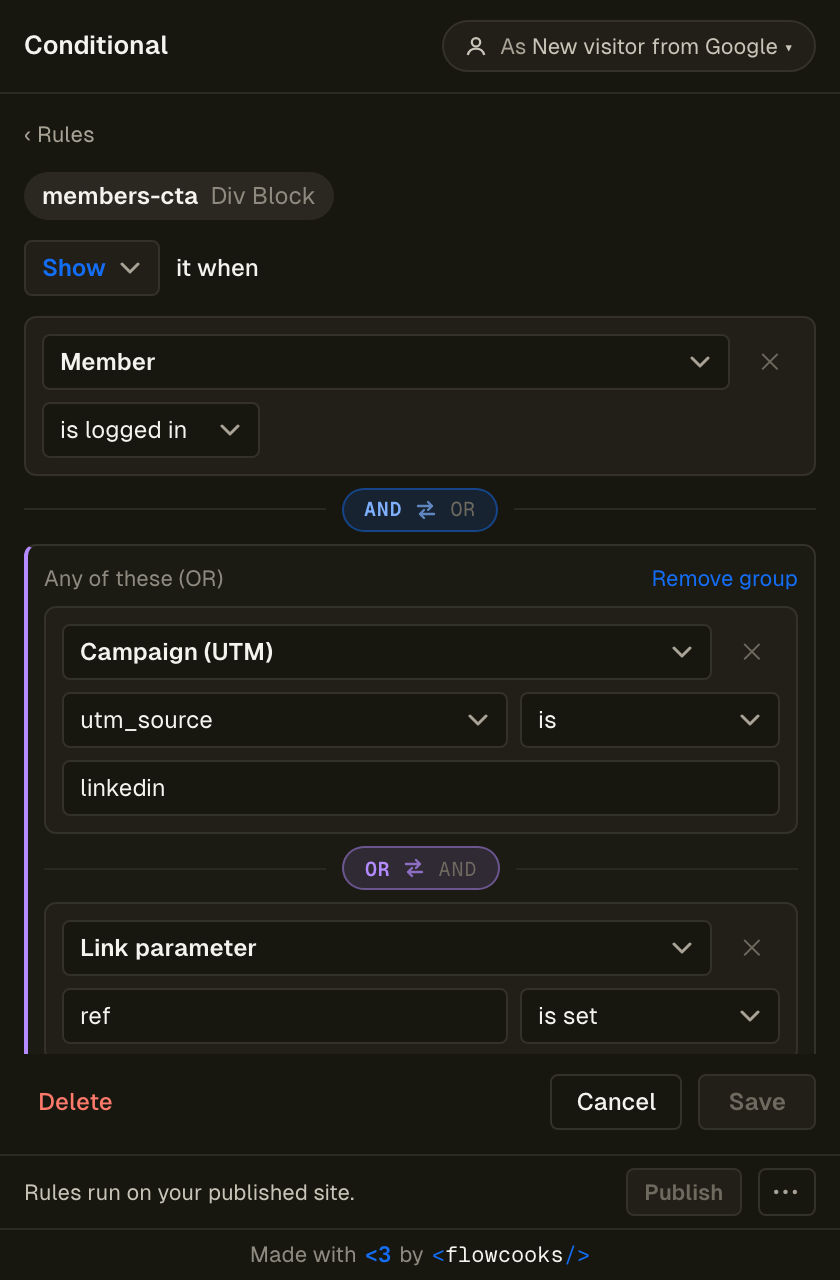
Combine any of these in one rule, and switch between AND and OR with a click.
Date & time
- Date is between two dates, before a date, or after a date
- Time of day, including ranges past midnight (e.g. 22:00–02:00)
- Day of the week
Traffic source
- Visitor came from Google, Bing, AI assistants (ChatGPT, Perplexity, Claude, Gemini…), LinkedIn, Facebook, Instagram, X, YouTube, Reddit, any other site, or typed the address
- Referring site address contains any domain
- Campaign (UTM): source, medium, campaign, term, content. The first campaign a visitor arrived with is remembered across pages
- Link parameters, e.g. ?ref=partner
- Page address
Visitor
- New or returning visitor
- Number of visits
- Scroll depth
- Time on page
Device & language
- Mobile, tablet or desktop, using Webflow's breakpoints
- Site language, for localized sites
- Browser language
Members
- Logged in or logged out
- Member plan
- Works with Memberstack. Other login tools can connect through a one-line hook (advanced)
CMS, forms & advanced
- Hide a Collection list when it's empty, or by item count
- Form field values: show follow-up fields based on answers
- Cookie values
- Saved browser values (localStorage)
- AND / OR between conditions: one click switches them
- Nested groups, e.g. Member AND (from LinkedIn OR has ?ref=)
- “is not”, “does not contain” and “is not set” on most conditions
- Show or hide when the rule matches
Build, test and publish without leaving Webflow.
Every rule gets a plain-language summary, like “Shown when Visitor came from LinkedIn and Day of the week is Mon–Fri”. The rule editor warns you when an element also uses Webflow’s own conditions or is hidden in its settings.
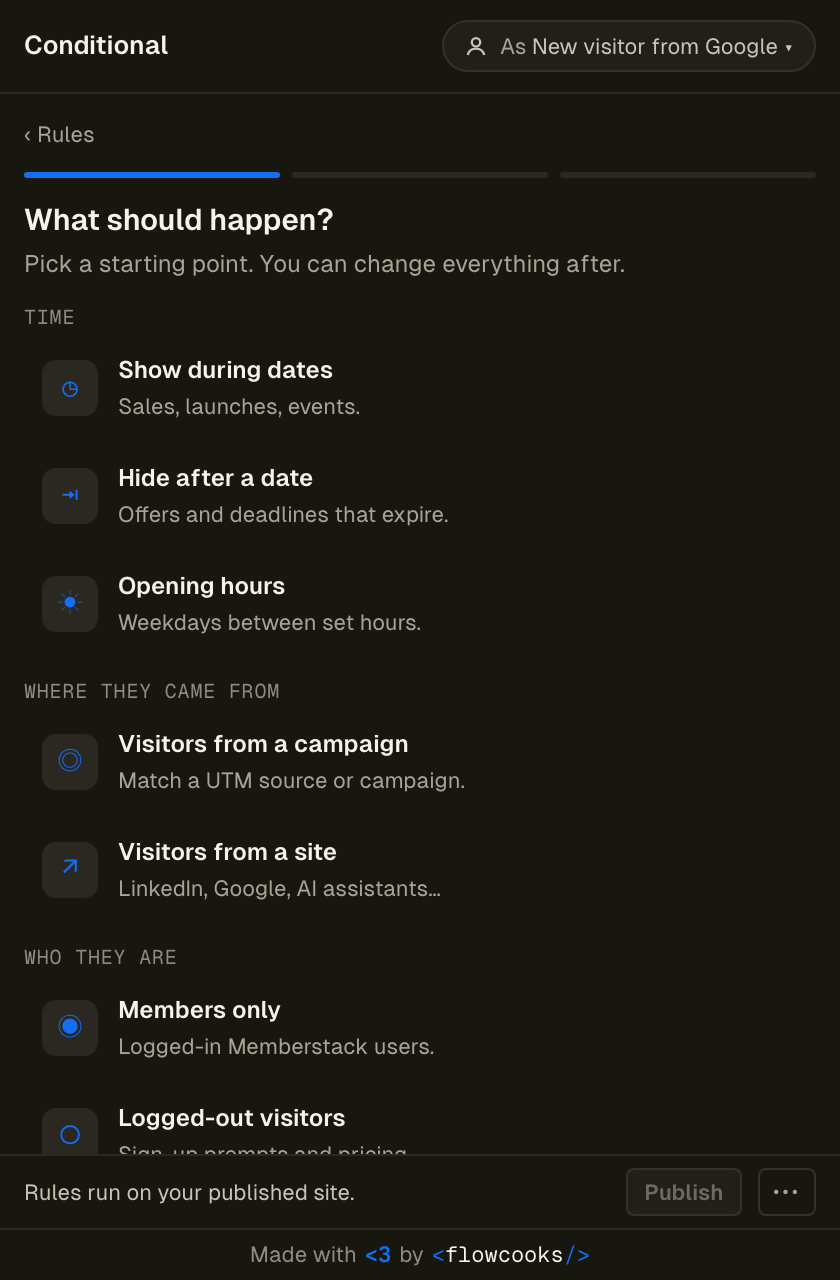
12 templates to start from
Sale dates, opening hours, campaign visitors, members only, new visitors, hide empty lists, and more.
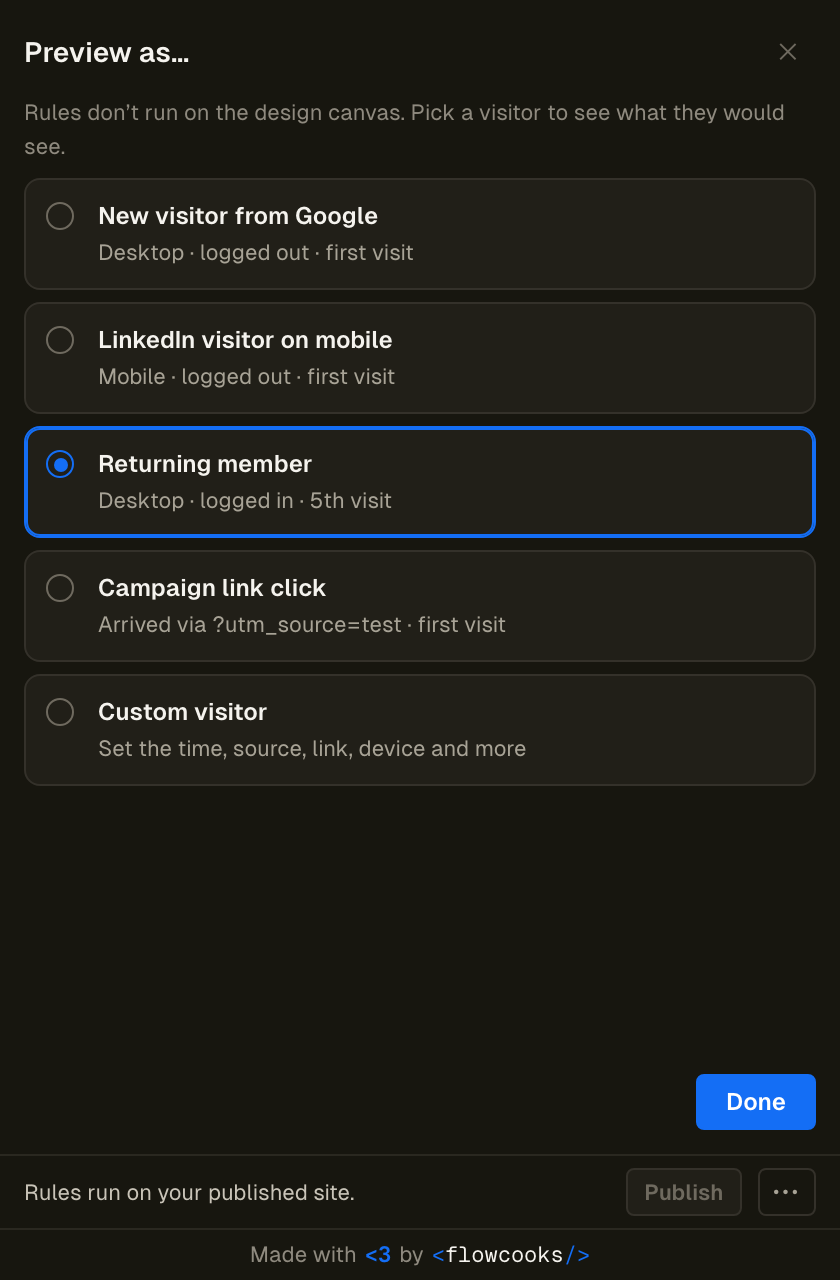
Preview as
Pick a ready-made visitor, like a returning member or a LinkedIn visitor on mobile, or set up your own, and see what they would see.
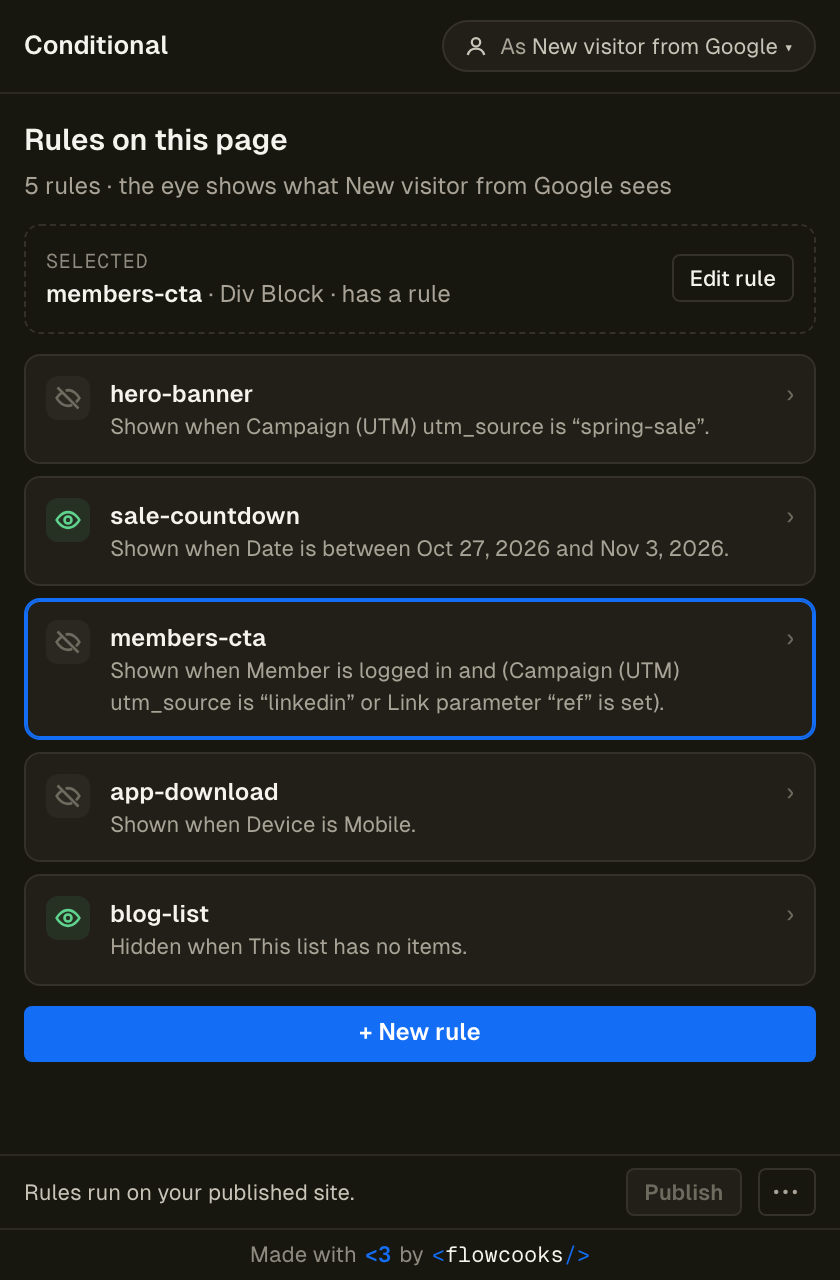
Every rule on the page
One list of every rule on the page, each with a plain-language summary and an eye showing whether your preview visitor sees it.
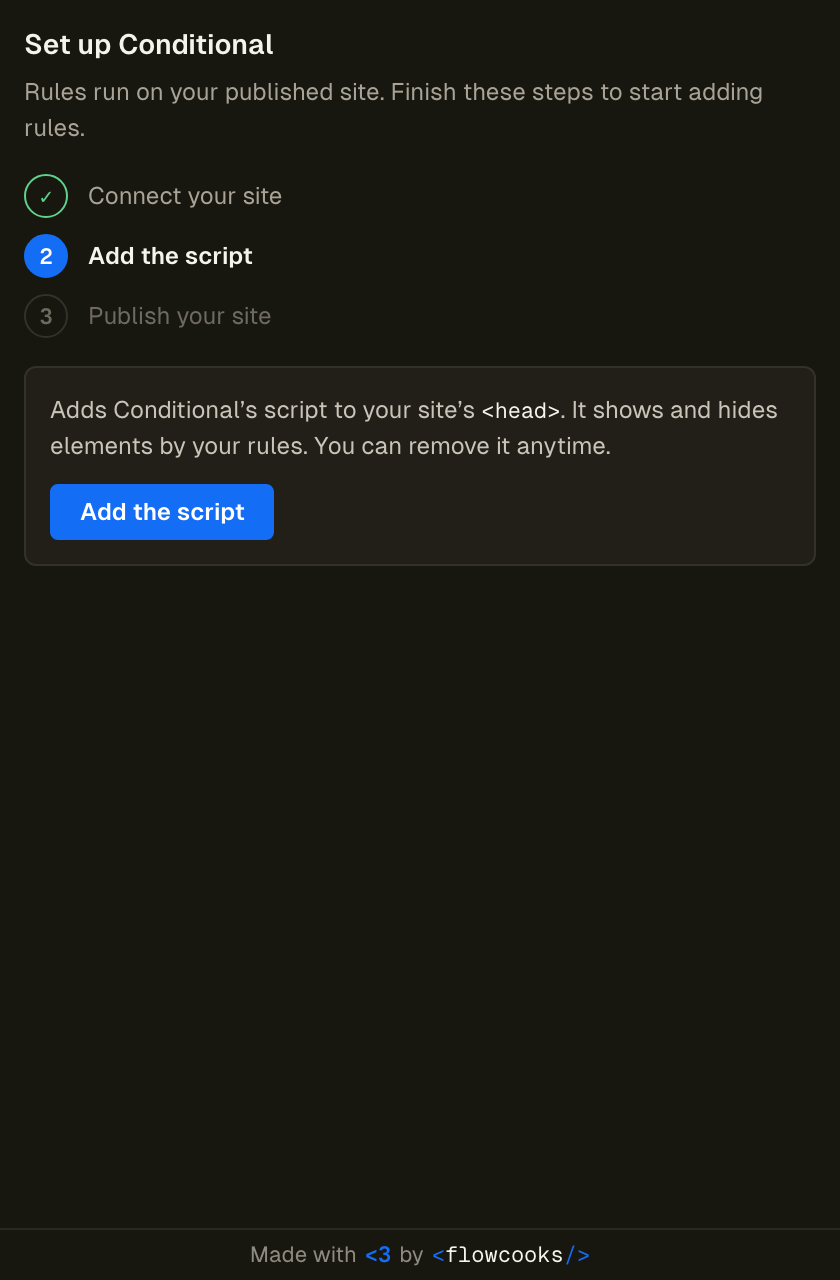
Guided 3-step setup
Connect, add the script, publish. The script is added through Webflow's official API, with no code to paste. Update or remove it with one click.
Screenshots use example element names like “hero-banner”.
Fast for visitors, invisible in the background.
No flicker
Elements with rules stay hidden until they're checked.
Always up to date
Rules re-check as time passes, the visitor scrolls, fills in a form, or a CMS list reloads.
Forms keep working
Hidden form fields are disabled, so they don't block submission.
Lightweight and private
About 8 KB gzipped, makes no network requests, sends no data anywhere.
Consent-ready
Can wait for cookie consent, and deletes everything it stored if a visitor declines.
Debug mode
Add ?cv-debug to any page to see why each element shows, hides, or has an invalid rule.
One small script, and nothing else.
Add the script puts one script tag in your site’s <head> using Webflow’s official Custom Code API. You can see it under Site settings → Custom code.
- File
conditional-<version>.js, loaded from www.flowcooks.com with an integrity (SRI) hash, so the browser refuses it if it was ever changed.- What it does
- Reads the rules you set on your elements and shows or hides them for each visitor. Elements with rules stay hidden until they've been checked, so nothing flashes.
- What it doesn't do
- It makes no network requests, loads nothing else, and sends no data anywhere.
- What it stores
- Only when a rule needs it: a visit count, the first campaign and the landing referrer, in the visitor's own browser. It can wait for cookie consent, and never reads credential, login or payment data.
- Strict CSP
- Works without
'unsafe-inline'. Your policy only needsscript-src 'self' https://www.flowcooks.com. - Why a script
- Rules about the visitor (time, campaign, device, login) can only be checked in their browser.
- Removing it
- Use Remove or Disconnect in the panel, or delete it in Site settings → Custom code, then publish.
Full setup and removal steps are in the documentation.
Webflow’s conditions handle CMS fields and component props. Conditional Render adds the visitor side: dates checked live, campaigns, traffic sources, logins, devices, behaviour, and empty lists on any page. Use both together.
Questions about Conditional Render.
Is it really free?
Yes. Conditional Render is free to install and use on your own sites and on client sites.
Can I use it to protect paid or private content?
No. Rules show and hide content in the visitor's browser, so the content is still in the page. Use it for personalisation and timing, and a membership tool for anything that must stay private.
Does it slow my site down?
The script is about 8 KB gzipped, runs in the browser and makes no network requests. Elements with rules stay hidden for the moment it takes to check them, so visitors never see content flash.
Does it collect visitor data?
No. When a rule needs them, visit counts, the first campaign and the landing referrer are kept in the visitor's own browser and never sent anywhere. You can also make the script wait for cookie consent.
What happens if I uninstall it?
Before uninstalling, open the panel's ⋯ menu: Remove script from site takes it off the current site, and Disconnect app removes it from every connected site and revokes access. If you already uninstalled, delete the Conditional script in Site settings → Custom code. In both cases, publish your site afterwards; your elements then show as they normally would.
Try Conditional Render on your next site.
Need something it doesn’t do? We build custom Webflow plugins and integrations too.